Mozilla/Netscape
- From your email program open the menu "edit" and choose "Mail & Newsgroups Account Settings"
-
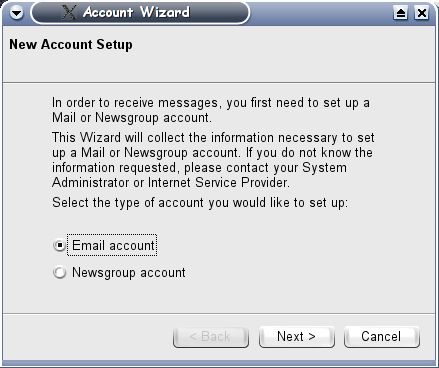
 In the new window push the button "Add account". You will now see the picture
on the right. Select "Email account" and push next.
In the new window push the button "Add account". You will now see the picture
on the right. Select "Email account" and push next. -
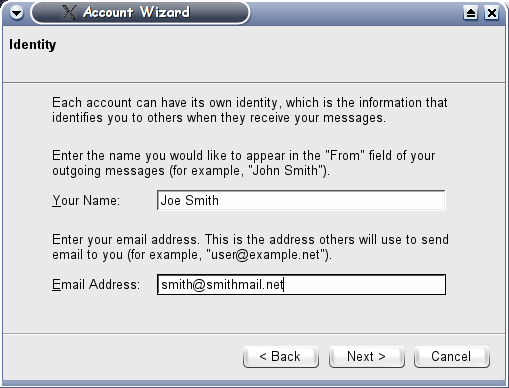
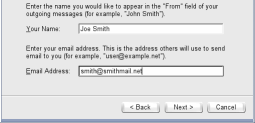 Enter your name and primary email in the next window. The email entered here will
be used as your identity and reply email.
Enter your name and primary email in the next window. The email entered here will
be used as your identity and reply email. -
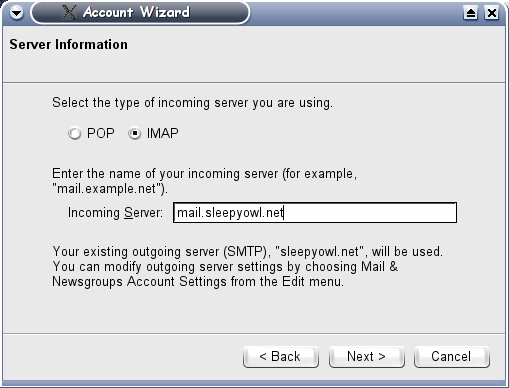
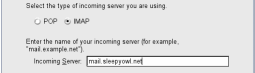 Server information: Choose between IMAP and POP to retreive your mail and enter
"mail.sleepyowl.net" for the Incoming Server
Server information: Choose between IMAP and POP to retreive your mail and enter
"mail.sleepyowl.net" for the Incoming Server - Push next and finish. That's it!